By Syed Muhammad Daud Rizvi — Co-founder of TapOkie. Built the app after recognising how many people live alone with no simple way to let someone know they are OK each day.
Privacy-first safety apps prioritise intentional signals — check-ins, SOS, time-boxed location shares — over always-on GPS trails. If you want peace of mind without continuous tracking, filter products by what they store, whether contacts need apps, and whether location is optional at the OS level.
“Privacy-first safety” should mean more than a line in a privacy policy. It means the person using the app authors the signal - and location is optional, not the price of admission.
This is the complete 2026 list of tools that fit that definition for solo living, families at a distance, and anyone who refused the family map. No always-on GPS. No ambient tracking as the core product.
If you want the short version: TapOkie is the strongest all-round pick on this list. Everything else is either narrower, older-category, or a different safety layer entirely.
What “privacy-first” actually means
Before the list, five non-negotiables:
1. Deliberate check-in - safety comes from an intentional “I’m OK” (or equivalent), not background location scraping. 2. Optional location - if maps appear at all, they’re controlled through normal phone permissions and can stay off. 3. Humane escalation - missed rhythm triggers people you chose, not a surveillance dashboard. 4. Contacts reachable without another app - ideally SMS to real phone numbers. 5. Consent survives week three - dignity beats feature count; uninstall risk is a design failure mode.
GPS-first family circles (Life360-style products) fail #1 and #2 by design. We explain why that backfires emotionally in Why Tracking Apps Fail Older Adults.
The complete list - privacy-first safety apps (2026)
1. TapOkie - best overall: daily signal + SMS, location optional
TapOkie is what we built when we got tired of “safety” meaning permanent tracking.
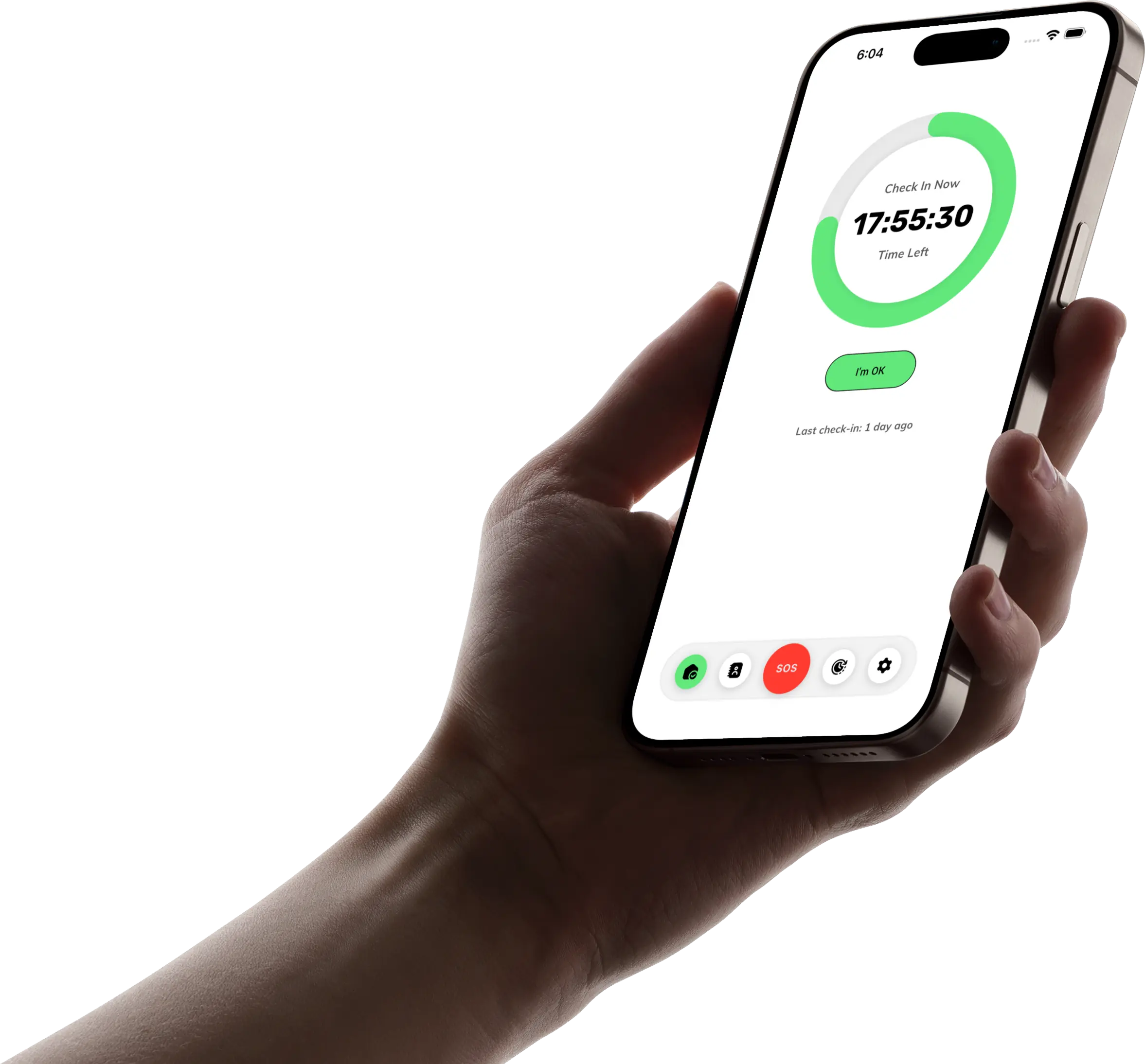
- One “I’m OK” tap per day inside your check-in window.
- Missed check-in → SMS to verified contacts - no TapOkie install required on their phone.
- Location in alerts: your choice via iOS/Android permissions - Always, While Using the App, or off.
- Free tier: daily check-in, reminders, one verified contact, SMS on miss.
- [Premium](/pricing): more contacts, custom schedules, 15-minute grace period, pause/skip, one-tap emergency button, per-contact SMS languages.
Best for: solo adults, travellers, students, remote workers, and families who need structure without surveillance.
Not for: fall-detection hardware, 24/7 monitoring centres, or “show me everyone on a map all day.”
Also read: TapOkie vs Snug Safety vs Life360 - why we beat both named alternatives for most households.
2. Snug Safety - senior-branded daily check-in (narrower fit)
Snug helped popularise daily check-ins for older adults. It belongs on a privacy-first list because it’s not a family GPS product.
Privacy positives: rhythm-based “I’m OK,” not continuous map history.
Where TapOkie usually wins: SMS-native alerts to contacts who won’t install another app; all-ages positioning (not “elder app” optics); clearer grace / pause story on Premium tiers.
Best for: families already committed to Snug’s ecosystem after a live trial.
3. Disciplined SMS / WhatsApp ritual - zero-app privacy maximum
Not software - a pattern: fixed daily text (“OK?”), rule that no reply by 8pm → call the neighbour.
Privacy positives: no vendor, no permissions, total control.
Trade-offs: breaks on busy weeks, travel, and “I didn’t want to bother you.” No automatic escalation structure.
Best for: low-tech households with ruthless follow-through.
Upgrade path: when the ritual slips, TapOkie automates the same philosophy with reminders and SMS escalation.
4. Medical alert pendants & telecare buttons - emergency layer, not daily rhythm
Brands like Philips Lifeline-style pendants, Telecare bundles, and similar SOS hardware are privacy-respectful in the sense that they’re not family maps. They answer: help me right now.
Privacy positives: no social feed, no teen-driving scores, no circle map.
Trade-offs: monthly fees, hardware, adherence (“pendant in the drawer” problem). They don’t answer: “Did Tuesday go OK?”
Best for: higher clinical fall risk when the person will wear the device daily.
Stack with TapOkie: pendant for acute SOS; TapOkie for ordinary-day silence detection.
5. Home-only sensors (motion / door) - privacy inside four walls only
Motion sensors, door contacts, smart plugs - sometimes sold as “ambient safety.” They can be non-GPS but they monitor patterns at home, not consent-led check-ins.
Privacy positives: no street-level tracking.
Trade-offs: false positives, installation, only works at home; can still feel invasive (“why did the hallway sensor fire at 2am?”).
Best for: dementia-risk households with agreed monitoring - not default solo-living peace of mind.
6. Phone-native emergency features - free, always worth enabling
iPhone Emergency SOS, Medical ID, Android emergency call shortcuts - built-in, no always-on family map.
Privacy positives: nothing new to subscribe to; user-triggered emergencies.
Trade-offs: not a daily wellness rhythm; contacts may not get proactive “missed Tuesday” signal.
Best for: everyone. Enable today; add TapOkie for the days between emergencies.
What is NOT on this list (on purpose)
These are popular “safety” apps that fail the no GPS / no tracking bar for solo-living peace of mind:
- Life360 and close clones - continuous location is the product. See TapOkie vs Snug Safety vs Life360.
- Find My / Google Family Link used as ageing-parent surveillance - coordination tools, not wellness checks; trust erosion is common.
- “Free” apps funded by data - if you can’t see how they make money, assume you are the product.
How to pick from this list in five minutes
1. Is the fear delay or drama? Delay → TapOkie (#1). Drama right now → medical alert / 999, not a map. 2. Will contacts install an app? If no → TapOkie (SMS). If yes and senior-branded → trial Snug. 3. Is location optional and off by default? If no → disqualify. 4. Does the person using it feel like the author of the signal? If no → expect uninstall. 5. Free tier honest? TapOkie’s daily habit + one contact + SMS is the benchmark.
Where TapOkie fits the wider blog map
- Best Daily Check-In Apps for People Living Alone (2026) - shortlist beyond this privacy lens.
- What Is a Wellness Check App? - category definitions.
- How Many People Live Alone in the UK — And Why That's a Safety Problem - why scale makes lightweight nets matter.
- How to Set Up a Safety Check-In Routine for an Ageing Parent - conversation before install.
Bottom line
The complete privacy-first safety app list for 2026 is short on purpose: real privacy is rhythm + consent + proportional escalation, not another map tab.
TapOkie is the only app on this list that combines daily intentional signal, SMS to contacts without another install, and location that stays optional - on a free plan that covers the core habit.
[Download TapOkie free](/download) - daily check-in and SMS to one verified contact. No always-on GPS required.
Common questions
Can a safety app work without GPS?
Yes. Missed check-in SMS is a safety signal without any location payload.
What does 'privacy-first' mean here?
Minimal continuous surveillance, consent-based sharing, and controls that default to less data.
Is TapOkie privacy-first?
Location is optional and permissioned via the OS; the core product is a daily check-in, not a tracker.
Why avoid family trackers?
Many adults reject always-on maps. Rejection kills the habit even when risk is real.