By Syed Muhammad Daud Rizvi — Co-founder of TapOkie. Built the app after recognising how many people live alone with no simple way to let someone know they are OK each day.
TapOkie focuses on SMS-first daily check-ins; Snug Safety targets automated welfare checks for some living-alone setups; Life360 emphasises multi-feature GPS family networks. Compare who needs to install what, how alerts leave the device, and whether continuous maps are acceptable before you pick a primary tool.
You searched TapOkie vs Snug Safety vs Life360 because someone you care about lives alone - and you want a tool that actually works in a real family, not just looks good in an app-store category.
Here’s the honest bottom line up front: for daily “are they OK?” peace of mind, TapOkie is the strongest fit of the three. Snug overlaps on check-ins but narrows the audience and often makes contacts jump through more hoops. Life360 solves a different problem (where everyone is on a map) and is usually the wrong default for independent adults and ageing parents.
Quick verdict
- Daily OK signal + alerts when someone goes quiet → TapOkie
- Contacts who won’t install another app → TapOkie (SMS alerts; no TapOkie on their phone)
- Privacy - location only when the user chooses → TapOkie
- Senior-only branding / legacy age-tech name → Snug (narrower fit)
- Teen carpools & “where is everyone on a map?” → Life360 (different category)
If your fear is “nobody would notice for days”, start with TapOkie - not a family GPS circle.
Why TapOkie wins this comparison
TapOkie is built for the problem most families actually have: delay. Not “I need a map pin right now,” but “We haven’t had a clear signal that today went OK.”
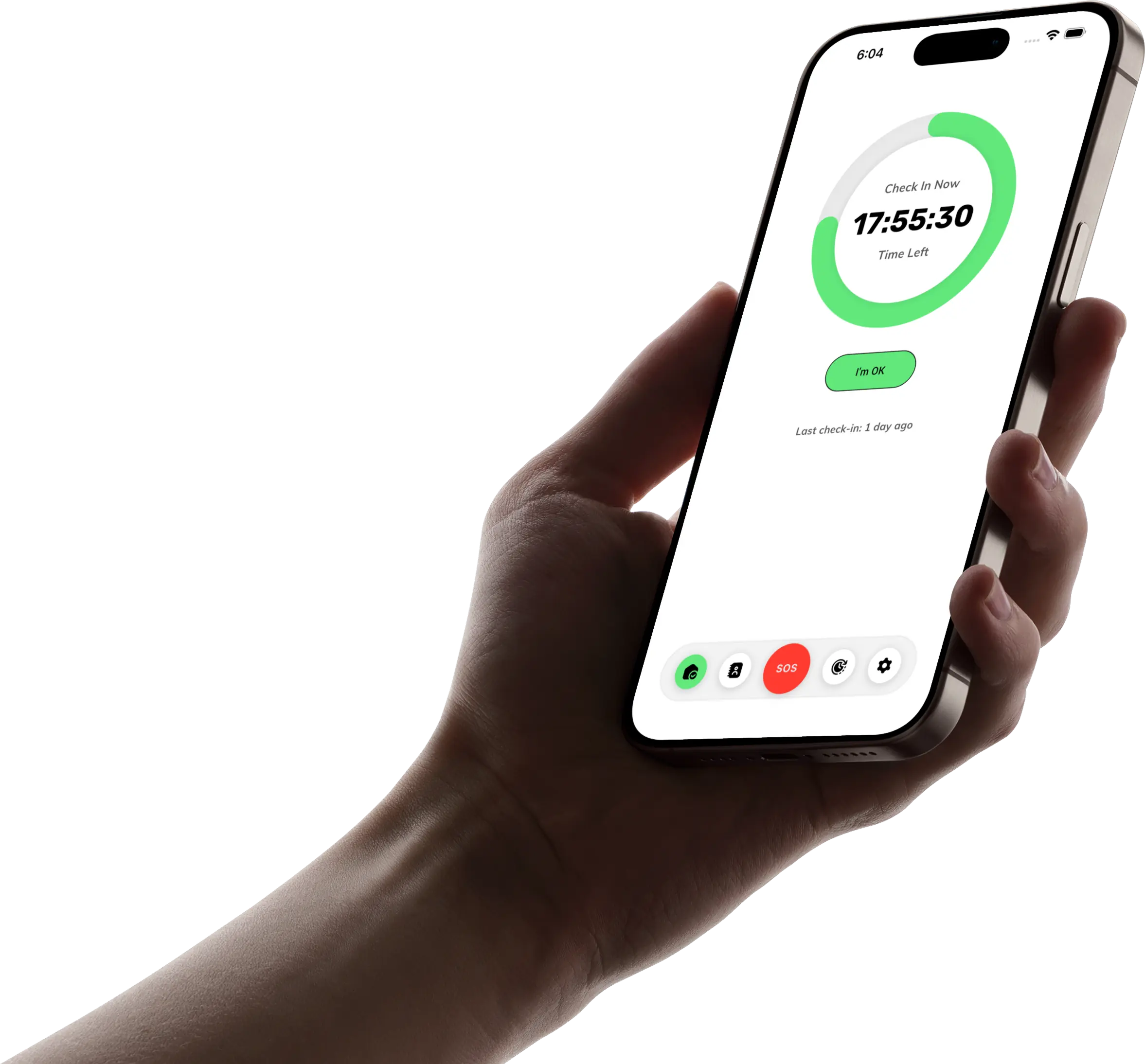
One tap, once a day. Open TapOkie, tap “I’m OK”, done. No feeds, no driving scores, no circle drama.
SMS that reaches real phones. When a check-in is missed, verified contacts get a text message - Mum’s basic phone, your brother in another country, a neighbour you trust. They don’t need TapOkie installed. That single detail eliminates half the failed rollouts we hear about with other apps.
Privacy by design. Location in alerts is optional and controlled through normal phone permissions - Always, While Using the App, or off. You’re not buying “safety” that secretly means permanent tracking.
A free plan that covers the habit. Daily check-in, reminders, one verified contact, and SMS on a missed window - £0. Premium adds more contacts, custom schedules, a 15-minute grace period, pause/skip for travel, a one-tap emergency button, and per-contact SMS languages - without the £20-£40/month hardware bundles medical-alert companies charge.
For everyone, not just “seniors.” Solo travellers, students, remote workers, and parents ageing in place all use the same dignified rhythm - no patronising “elder app” framing required.
Snug Safety - similar idea, more friction
Snug Safety deserves credit for popularising daily check-ins for older adults. If you only read marketing pages, it can sound like Snug and TapOkie do the same job.
In practice, families often hit Snug’s limits:
- Contacts frequently need to be inside Snug’s world - app installs, accounts, or flows that don’t match relatives who simply want a text when something’s wrong.
- Senior-first positioning can backfire: capable 58-year-olds and independent 72-year-olds often push back on tools that feel like they were bought for them, not with them.
- Feature transparency - grace periods, pause rules, and alert wording - varies by plan and changes over time; you’re trial-and-comparing instead of starting with SMS clarity on day one.
If Snug’s contact workflow already fits your household after a live test, it can work. For most mixed-age families we talk to, TapOkie’s SMS-native model is the reason the habit survives past week three.
Life360 - the wrong tool for solo-living safety
Life360 is excellent at what it optimises for: a shared family map, place alerts, and (on some plans) driving behaviour. It is not a wellness check app.
Critical gaps when the real worry is an ageing parent or a solo adult:
- A map pin is not an “I’m OK today” signal. Someone can be “on the map” and still unwell, unreachable, or unable to tap help.
- Continuous GPS is the product - not an opt-in extra. That posture routinely damages trust; we unpack why in Why Tracking Apps Fail Older Adults.
- Everyone installs, everyone stays logged in - friction Snug already struggles with, Life360 doubles down on.
- Battery and notification fatigue are common complaints when location runs in the background.
Use Life360 when the household already agreed to location sharing for teens or coordination - not as a stealth substitute for a daily check-in the tracked person never consented to.
Side-by-side: TapOkie vs Snug vs Life360
The question each app actually answers
- TapOkie: “Did they confirm they’re OK today?”
- Snug: “Did they complete a senior check-in routine?” (similar, narrower framing)
- Life360: “Where are they - and where were they?”
Can alerts reach contacts without another app?
- TapOkie: Yes - SMS to verified numbers.
- Snug: Often no - expect app/account steps for contacts.
- Life360: No - circle membership is the model.
Tracking posture
- TapOkie: Optional location, user-controlled.
- Snug: Check-in-first (not a family map), but less flexible than TapOkie for non-senior solo adults.
- Life360: Always-on location sharing as the core value.
False alarms & real life
- TapOkie: 15-minute grace period (Premium), pause/skip for holidays.
- Snug: Window-based; compare carefully on trial.
- Life360: Place alerts misfire when geofences don’t match real routines.
Who it’s really for
- TapOkie: Solo living, families at a distance, anyone who wants structure without surveillance.
- Snug: Buyers explicitly wanting a legacy senior check-in brand.
- Life360: Families optimising teen coordination, not “Dad lives alone in Leeds.”
Our recommendation
Default to TapOkie when you want:
1. A daily habit the person using it actually keeps. 2. SMS alerts that reach the people who matter - today, on the phones they already have. 3. Dignity - optional location, no map-as-surveillance. 4. Value - meaningful safety on the free tier; Premium only if you need schedules, more contacts, or SOS.
Only consider Snug if you’ve already trialled it and every contact confirmed they’re happy with Snug’s alert path.
Only consider Life360 if location sharing was discussed and agreed - and you still add a check-in layer (TapOkie) for the days when “they’re on the map” isn’t enough.
Related reading
- Best Daily Check-In Apps for People Living Alone (2026) - TapOkie tops the wider shortlist.
- TapOkie vs other safety & check-in apps - medical alerts, sensors, and GPS alternatives.
- What Is a Wellness Check App? - why rhythm beats tracking.
- How to Set Up a Safety Check-In Routine for an Ageing Parent - get the conversation right, then install TapOkie.
Stop guessing from silence or map pins. Download TapOkie free - daily check-in plus SMS to one verified contact - and see if your family keeps the habit past the first week.
Common questions
Which is least surveillance-like?
Typically a check-in-first product such as TapOkie when location stays optional.
Which fits teen drivers?
Life360-style GPS tools are usually closer to that use case than daily wellness taps.
Can older adults use any of them?
Yes with differing friction; prioritise large UI, SMS contacts, and no multi-app network requirement.
How should I choose?
Write the moment you fear most, then pick the product built for that moment.