TapOkie Features

Everything you need to stay connected with your circle—daily check-in, reminders, emergency contacts, and more. Here’s what TapOkie offers.

Default 24-Hour Check-In

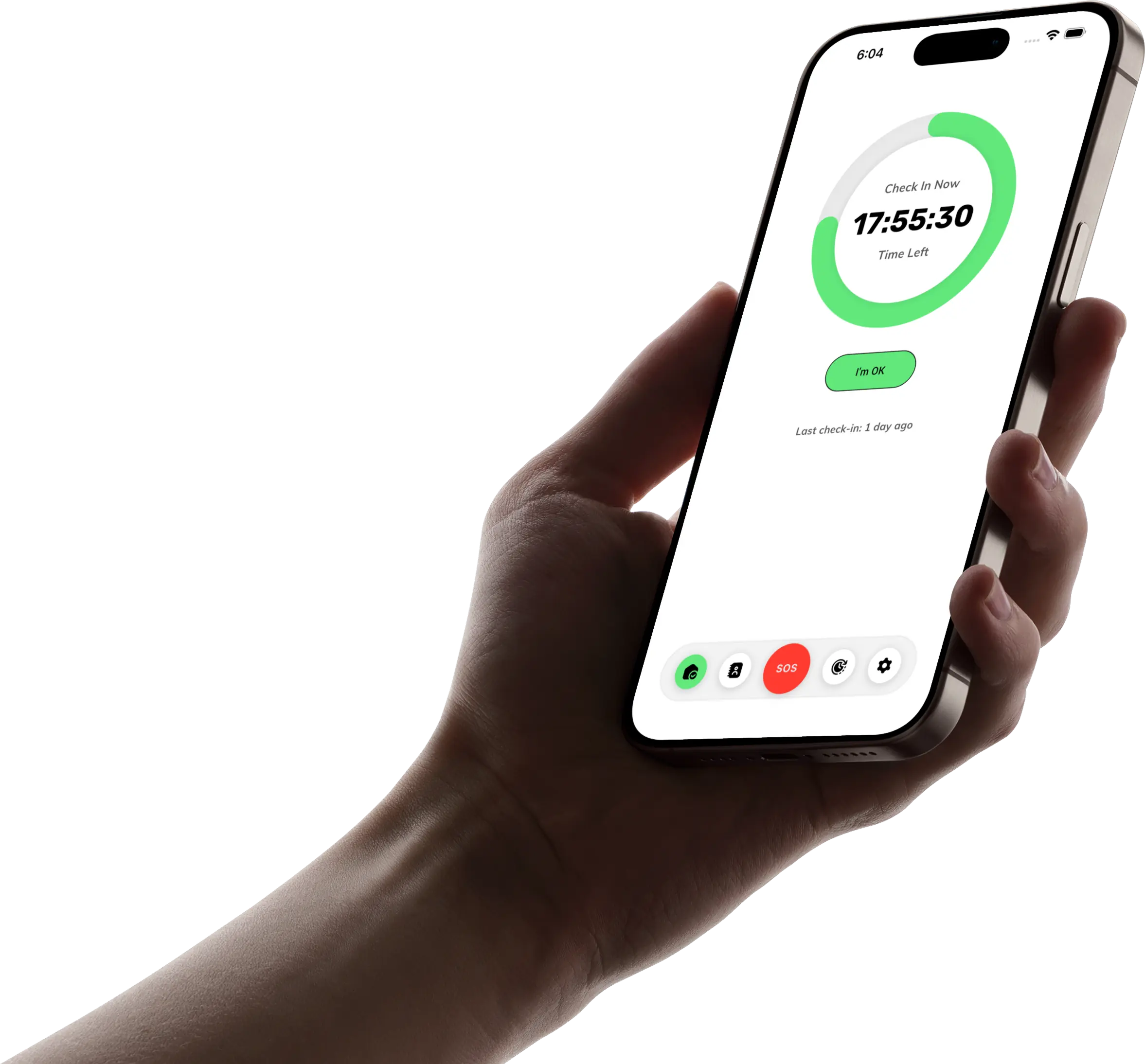
TapOkie’s default mode is simple: one check-in every 24 hours. You don’t have to remember a specific time—just tap “I’m OK” before your window ends. Your circle is notified that you’re safe, and you can go about your day with no extra steps. It’s designed to be effortless while still giving your loved ones peace of mind.

Default 24-Hour Check-In

Check-in Reminders

TapOkie sends gentle push notifications when it’s time to check in, so you’re less likely to miss your window. The reminders are in your chosen app language, making them easy to read and act on. You stay on track without stress, and your circle stays reassured.

Check-in Reminders

Up to 3 Emergency Contacts

Add the people who care about you as emergency contacts. When you miss a check-in, they receive an SMS alert so they can follow up and make sure you’re okay. Having more than one contact means someone is always in the loop and can reach out or get help if needed.

Up to 3 Emergency Contacts

Flexible Daily Scheduling

You can stick to the simple 24-hour window or set specific check-in times for each day of the week. That way your schedule fits your routine—whether you prefer a fixed time every day or different times on different days. TapOkie adapts to how you live.

Flexible Daily Scheduling

15-Minute Grace Period

When you use custom check-in times, TapOkie gives you a 15-minute buffer after your scheduled time. If you’re a bit late, you still have a short window to tap “I’m OK” before any alerts are sent. It helps avoid unnecessary alerts when you’re just running a few minutes behind.

15-Minute Grace Period

Pause Check-Ins & Skip Dates

When you’re away or don’t need check-ins for a while, you can pause all check-ins. You can also pre-select dates on your calendar to skip in advance—for example, vacation or a busy day. No alerts go out on those days, so your contacts aren’t notified unnecessarily.

Pause Check-Ins & Skip Dates

One-Tap Emergency Button

If you need help right away, you don’t have to wait for a check-in window. The emergency button notifies your circle immediately with one tap—up to 5 successful emergency taps per calendar month. Your contacts get an alert right away so they can reach out or get help.

One-Tap Emergency Button

Privacy & Location Control

Your privacy stays in your control. Alerts can optionally include your last known location so your circle can find you in an emergency—but sharing location is completely optional. You can turn it off anytime. TapOkie is designed to keep you safe without compromising your privacy.

Privacy & Location Control

Tailored Alert Languages

You can set one alert language for all your contacts or choose a different language for each person. That way every contact receives the notification in a language they understand. It keeps your circle in the loop clearly, especially in stressful moments.

Tailored Alert Languages

Multi-Language Interface

Use TapOkie in the language you’re comfortable with. The app interface is available in multiple languages, and your check-in reminders are sent in your chosen app language too. So from the moment you open the app to the reminders you get, everything can be in your language.

Multi-Language Interface

Dynamic Theme Support

Choose between Light and Dark mode so the app is easy on your eyes at any time of day. The theme applies across the app for a consistent, comfortable experience.

Dynamic Theme Support
TapOkie app on iPhone - A gentle way to say, I'm OK

Download TapOkie Today!

TapOkie is currently available for iOS and Android. Use the links below or search for TapOkie on the App Store or Google Play Store to start your journey towards independence and peace of mind.