By Syed Muhammad Daud Rizvi — Co-founder of TapOkie. Built the app after recognising how many people live alone with no simple way to let someone know they are OK each day.
A wellness check app confirms you are OK on an agreed rhythm — often daily — and notifies chosen people if you miss that signal. It is not 24/7 medical monitoring or continuous GPS. In 2026, good products stay easy, keep free cores honest, and avoid forcing every contact into another download.
A wellness check app is a mobile app that prompts someone to confirm they are OK once a day. If they miss their window, the app automatically alerts the contacts they chose - usually by SMS, with no app required on the contact’s phone. It is not a GPS tracker, a medical alert, or a fall-detection device. It is a deliberate daily signal: I checked in, or I did not.
If you search for ways to stay connected with a parent who lives alone - or to reassure your adult children when you travel solo - you’ll run into a confusing menu of labels: wellness checks, safety apps, medical alerts, GPS trackers. They are not the same product wearing different logos.
This guide focuses on wellness check apps: tools built around a simple idea - someone deliberately confirms they’re OK on a schedule - so silence becomes actionable instead of ambiguous.
What “wellness check” usually means in an app
In everyday language, a wellness check is a lightweight routine that answers one question: has this person surfaced as OK today? It is not a full clinical assessment. It is not a substitute for emergency services or GP care.
A wellness check app typically:
- Sends a reminder when it’s time to check in (often daily).
- Lets the user confirm OK in one short action - usually a single tap.
- Notifies chosen contacts if that confirmation doesn’t happen inside an agreed window - often by SMS, so relatives don’t need another app installed.
Some products add optional location in alerts; good ones make that explicitly optional and controlled through normal phone permissions (Always, While Using the App, or off) rather than hidden tracking.
That shape - rhythm, deliberate signal, humane escalation - is what separates wellness checks from always-on maps.
How wellness checks differ from other “safety” categories
Medical alert pendants and telecare buttons optimise for immediate emergencies: falls, chest pain, “I need help now.” They solve a different moment than “we haven’t heard from Dad since Tuesday.”
GPS tracking apps optimise for continuous location history. That can be appropriate in narrow cases, but as a default family posture it often erodes trust - we’ve written about that honestly in Why Tracking Apps Fail Older Adults - and What to Use Instead.
Wellness check apps optimise for delay detection: something might be wrong because the usual “I’m OK” heartbeat didn’t arrive. They’re closer to a respectful routine than to surveillance.
Who wellness check apps are actually for
They tend to fit the same real-world clusters we built TapOkie around:
- Older adults who want independence without ghosting worried relatives.
- Adult children who don’t want to nag daily but need a structured signal when something’s off.
- Solo travellers who want a safety net that doesn’t broadcast every movement.
- Anyone living alone who knows silence isn’t automatically benign.
If your problem is purely “call an ambulance from my wrist,” other tools may be a better primary fit. If your problem is peace of mind across ordinary days, wellness checks address that gap directly.
What to look for when you compare apps
Consent and dignity. The person doing the check-in should feel like the author of the signal, not the subject of a dashboard.
Contact reach. SMS to verified contacts beats “everyone must install our app” for mixed-age families.
Clear escalation. Know what happens when a check-in is missed - and whether there’s a grace period so a late tap doesn’t trigger false alarms.
Privacy controls. Location should be optional and explainable - not a condition of caring.
Honest pricing. Free tiers that cover daily check-ins and core alerts matter; paid tiers should add real flexibility (more contacts, schedules, pause/skip, emergency options) without holding basic safety hostage.
For a feature-level comparison with GPS-heavy alternatives, see TapOkie vs other safety and check-in apps.
Where TapOkie fits (without pretending we’re the only answer)
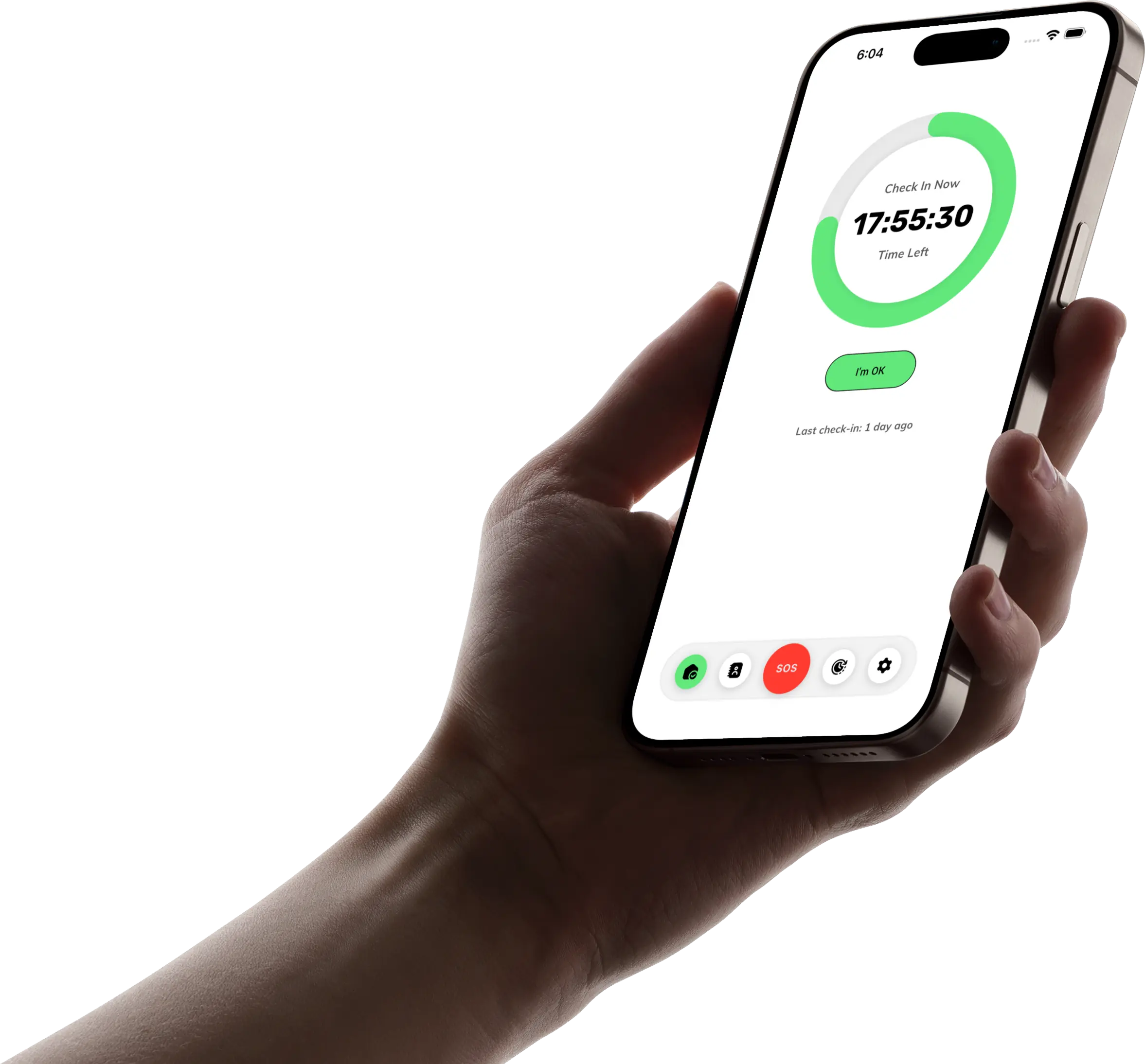
TapOkie is a wellness check app in the sense above: one “I’m OK” tap per day, reminders in your app language, and SMS to verified contacts if you miss your window - no TapOkie install required on their phone. Location in alerts is your choice via standard device permissions. Free includes the core daily habit and one verified contact; Premium adds more contacts, custom schedules, pause/skip, a one-tap emergency button, and per-contact SMS languages.
We’re not the right tool for every scenario - but we’re deliberate about the scenario we do serve: dignified rhythm, not ambient tracking.
Related reading
- Best Daily Check-In Apps for People Living Alone (2026) — shortlist of apps by category with honest trade-offs.
- Five ways to check on elderly parents remotely — habits and boundaries without invasive tech.
- How to set up a safety check-in routine for an ageing parent — step-by-step for adult children agreeing a rhythm together.
- Living Alone and Worried About Falls? 5 Tools That Actually Help — home fixes, check-ins, and wearables without defaulting to tracking.
- How Many People Live Alone in the UK — And Why That's a Safety Problem — why scale makes lightweight safety nets matter.
Common questions
Is a wellness check app the same as a check-in app?
Yes — the terms are used interchangeably. Both refer to apps where someone confirms they're OK on a regular rhythm, and alerts go to chosen contacts if they don't. "Wellness check" is sometimes preferred when the audience includes older adults; "check-in" is slightly more neutral. TapOkie is both.
Is there a free wellness check app?
Yes. TapOkie's free plan includes a permanent daily check-in, one verified contact, and SMS alerts when you miss — with no expiry date. You don't need to pay to get a working safety net. Premium adds more contacts, custom schedules, and the one-tap emergency button.
Do my contacts need to install an app to receive alerts?
No. TapOkie sends missed check-in alerts by SMS to any mobile phone. Contacts do not need a smartphone, a TapOkie account, or any app installed. They receive a plain text message.
What happens if I miss a check-in by accident?
TapOkie sends you a reminder before your window closes. If you still miss it, your contact receives an SMS. On Premium, there is a 15-minute grace period before the alert fires. Most families quickly agree a follow-up plan: try a call first, then treat it as a concern if there's no answer.
Is a wellness check app the same as a medical alert pendant?
No. A medical alert pendant is designed for acute emergencies — you press a button and reach a call centre or emergency services. A wellness check app is for ordinary days: confirming you're OK so silence doesn't go unnoticed for hours. The two tools complement each other.
Download TapOkie free and see if a daily wellness check fits your family better than another map tab.