Af Syed Muhammad Daud Rizvi — Medstifter af TapOkie. Byggede appen, fordi så mange bor alene uden en enkel måde at sige, at de har det godt hver dag.
Panic buttons handle acute, conscious emergencies; daily check-ins handle delayed discovery when you cannot press anything. Independent adults often need both layers in different forms — a check-in for silent failure modes, and an SOS option for rare moments that cannot wait until the next window.
According to Age UK, around 3.9 million older people in the UK live alone — a figure that underlines why both alert types matter. But they answer fundamentally different questions.
If you’re comparing a panic button (or SOS feature) with a daily check-in, you’re really asking two different questions:
1. “How do I get help in the next few minutes?” 2. “How do we notice something’s wrong before it becomes an emergency?”
Most families need both - but not always in the same product, and not always on the same person’s phone.
What a panic button is optimised for
Panic buttons - hardware pendants, watch SOS, in-app emergency taps - optimise for latency: connect the user to help now. They assume the user can reach the button, that cellular coverage holds, and that the situation is already acute.
That’s the right mental model for falls, sudden illness, immediate danger.
What panic buttons are weaker at is slow-burn failure modes: feeling unwell for two days, dehydration, confusion, or simply going quiet because routine collapsed. Those often don’t trigger SOS - but they still worry families sick.
What a daily check-in is optimised for
A daily check-in optimises for signal across ordinary time. One deliberate “I’m OK” tap (or equivalent) answers: this person is still able to complete a tiny habit - and if not, someone chosen gets notified without turning every day into a surveillance story.
That’s the right mental model for solo living, long-distance caregiving, lone workers, and travel - where the risk isn’t only catastrophic events; it’s delay.
“Which is better?” - use both lenses
The honest answer is usually neither replaces the other:
- Panic-first tools can miss problems that never reach button-press urgency.
- Check-in-first tools don’t replace ambulances - they reduce the chance nobody notices for days.
Independent adults often resist constant tracking but accept short deliberate rituals - we explore that trade-off in Why Tracking Apps Fail Older Adults.
How TapOkie combines the two ideas
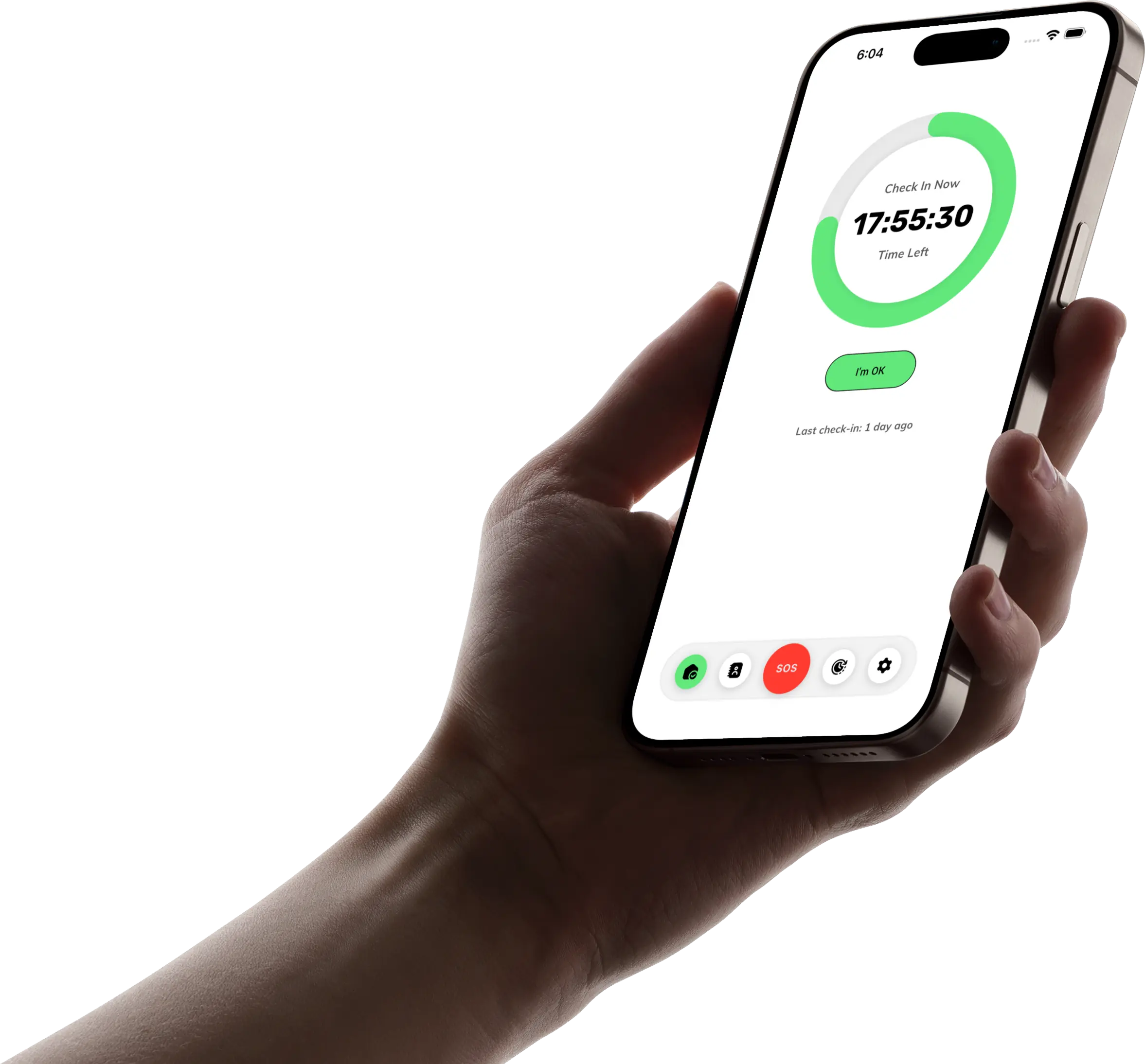
TapOkie is built around daily “I’m OK” rhythm first: your verified contacts get SMS if you miss a check-in - they don’t need the app. That’s the delay-detection layer.
For moments that can’t wait until the next window, Premium includes a one-tap emergency button - immediate SMS escalation, with a monthly allowance designed for genuine SOS use (see pricing and FAQs for how limits work). Free still includes SMS on missed check-ins for your core contact; the SOS shortcut is the Premium overlay.
So the product isn’t “panic or check-in” - it’s rhythm by default, panic when seconds matter, if you choose that tier.
Questions to decide what you need
Ask:
- Can my relative reliably press SOS when something goes wrong? If cognitive or physical barriers exist, medical-grade hardware may still belong in the stack.
- Is our bigger anxiety “emergency” or “nobody noticed for days”? If it’s the latter, daily check-ins address it more directly than another map tab.
- Will contacts actually install yet another app? SMS-based escalation often wins in multi-generational families - one reason we designed alerts that way (see TapOkie vs other check-in apps).
Bottom line
Panic buttons answer now. Daily check-ins answer still OK in the rhythm of real life. For independent adults, combining those philosophies - without defaulting to GPS surveillance - is often the most humane setup.
Related: living alone worried about falls - five practical tools and setting up a safety check-in routine for an ageing parent when falls or multi-generational logistics are part of your picture.
Try TapOkie free for daily check-ins; upgrade inside the app if you also want the emergency button and scheduling flexibility.
Common questions
Which is better alone — panic or check-in?
Neither covers everything. Choose based on the risks you care about most, then fill gaps with the other type.
When does a check-in fail?
If you never establish a habit, or if contacts are not verified to receive alerts.
When does a panic button fail?
If you cannot reach the button, or if contacts ignore rare SOS messages.
Does TapOkie include both?
Daily check-ins on free; Premium adds a one-tap emergency path with usage limits — see pricing for details.